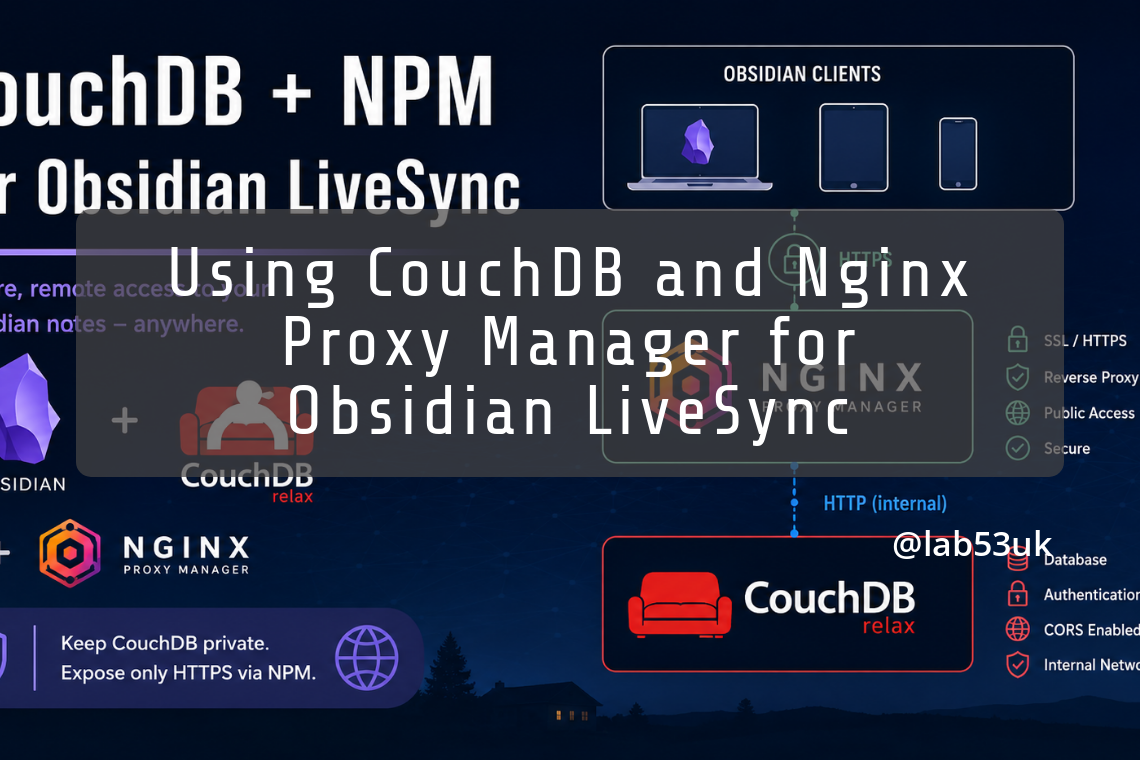
I already had Obsidian LiveSync working inside the local network using the CouchDB IP address and port. That was fine while I was at home or in the office, but it was not enough once I wanted my notes to sync from outside the network.
The setup here is simple:
Obsidian
  ↓
https://obsidian.example.co.uk
  ↓
Nginx Proxy Manager
  ↓
http://COUCHDB_LXC_IP:5984
  ↓
CouchDB
CouchDB is installed directly inside a Proxmox LXC. This is not a Docker setup. Nginx Proxy Manager also an LXC is used only as the HTTPS reverse proxy.
The important bit is not to expose CouchDB directly to the internet. Port 5984 should remain internal. The only public entry point should be the HTTPS hostname handled by Nginx Proxy Manager.
Configure CouchDB for reverse proxy use
On the CouchDB LXC, find the CouchDB configuration file.
Common locations include:
/opt/couchdb/etc/local.inior:
/etc/couchdb/local.iniYou can search for it with:
sudo find /opt /etc -name "local.ini" -o -name "*.ini" | grep couchEdit the file:
nano /opt/couchdb/etc/local.iniAdjust the path if your installation uses a different location.
Add or update the following sections:
[chttpd]
bind_address = 0.0.0.0
require_valid_user = true
enable_cors = true
x_forwarded_host = X-Forwarded-Host
x_forwarded_proto = X-Forwarded-Proto
x_forwarded_ssl = X-Forwarded-Ssl
max_http_request_size = 4294967296

[chttpd_auth]
require_valid_user = true

[couchdb]
single_node = true
max_document_size = 50000000

[cors]
credentials = true
origins = app://obsidian.md,capacitor://localhost,http://localhost
headers = accept, authorization, content-type, origin, referer
methods = GET, PUT, POST, HEAD, DELETE, OPTIONS
max_age = 3600
The bind_address = 0.0.0.0 line allows CouchDB to listen beyond localhost, which is needed because NPM is connecting to it from another LXC.
The require_valid_user = true lines make sure CouchDB is not open anonymously.
The CORS section is needed because Obsidian LiveSync talks to CouchDB from the Obsidian app. Do not try to solve this in NPM. Let CouchDB handle CORS.
Do not use this:
origins = *
credentials = true
That is the classic lazy config, but it is not the right way to handle credentialed CORS. Use the Obsidian origins instead.
Restart CouchDB:
systemctl restart couchdb
systemctl status couchdb --no-pager
Create the NPM proxy host
In Nginx Proxy Manager, create a new Proxy Host.
Use a dedicated hostname, for example:
obsidian.example.co.ukDo not start with a subfolder such as:
example.co.uk/couchdbA dedicated hostname is cleaner and avoids rewrite issues.
Use these settings:
Domain Names: obsidian.example.co.uk
Scheme: http
Forward Hostname / IP: COUCHDB_LXC_IP
Forward Port: 5984
Cache Assets: Off
Block Common Exploits: Off for initial testing
Websockets Support: On
Then go to the SSL tab:
Request a new SSL Certificate: On
Force SSL: On
HTTP/2 Support: On
HSTS: Off for initial testing
LiveSync authenticates to CouchDB itself.
Add the advanced NPM config
In the NPM Advanced tab, add:
client_max_body_size 1024m;

proxy_buffering off;
proxy_request_buffering off;

proxy_read_timeout 3600s;
proxy_send_timeout 3600s;

proxy_set_header Host $host;
proxy_set_header X-Forwarded-Host $host;
proxy_set_header X-Forwarded-Proto $scheme;
proxy_set_header X-Forwarded-Ssl on;
proxy_set_header X-Real-IP $remote_addr;
proxy_set_header X-Forwarded-For $proxy_add_x_forwarded_for;
This keeps the proxy simple. NPM passes the request to CouchDB, and CouchDB deals with authentication and CORS.
Test the public CouchDB endpoint
From a machine outside the CouchDB LXC, test the public hostname:
curl -i https://obsidian.example.co.uk/If authentication is required, a 401 Unauthorized response is not a failure. It means CouchDB is reachable and protected.
Now test with CouchDB credentials:
curl -i -u 'COUCHDB_USER:COUCHDB_PASSWORD' https://obsidian.example.co.uk/_upYou want:
HTTP/2 200Then test CORS using the Obsidian origin:
curl -i \
  -u 'COUCHDB_USER:COUCHDB_PASSWORD' \
  -X OPTIONS \
  -H 'Origin: app://obsidian.md' \
  -H 'Access-Control-Request-Method: GET' \
  https://obsidian.example.co.uk/
You should see headers similar to:
Access-Control-Allow-Credentials: true
Access-Control-Allow-Origin: app://obsidian.md
If the public endpoint works with credentials but LiveSync still fails, the issue is usually CORS, SSL, or the LiveSync remote URL.
Update Obsidian LiveSync
Once the public endpoint is working, open Obsidian and go to the LiveSync plugin settings.
Change the remote CouchDB URI from the internal address:
http://COUCHDB_LXC_IP:5984to the public HTTPS address:
https://obsidian.example.co.ukKeep the same:
Database name
Username
Password
Encryption settings
This is only changing how Obsidian reaches the same CouchDB server.
Common problems
NPM shows 502 Bad Gateway
NPM cannot reach CouchDB.
Test from the NPM LXC:
curl -i http://COUCHDB_LXC_IP:5984/If that fails, check the CouchDB bind address, firewall rules, IP address and port.
Browser shows 401 Unauthorized
That can be normal.
CouchDB is asking for authentication. Test with:
curl -i -u 'COUCHDB_USER:COUCHDB_PASSWORD' https://obsidian.example.co.uk/_upDesktop works but mobile does not
Check SSL first.
Mobile devices are far less forgiving with certificates. Use a valid public certificate from NPM, not a self-signed certificate.
LiveSync complains about CORS
Do not fix CORS in NPM.
Fix it in CouchDB.
Check the [cors] section in local.ini, then restart CouchDB.
Sync works internally but not externally
The LiveSync remote URI is probably still pointing at the internal CouchDB IP.
Change it to:
https://obsidian.example.co.ukIt works on the LAN but fails when away from home
Check external DNS.
The public hostname must point to NPM from outside the network. Internally, you can use split DNS if needed, but externally it must resolve to the public route into NPM.
Final working shape
The final setup should look like this:
CouchDB LXC
  - listens internally on port 5984
  - requires authentication
  - has CORS configured for Obsidian
  - knows it is behind a reverse proxy

Nginx Proxy Manager
  - exposes a dedicated HTTPS hostname
  - proxies to CouchDB over HTTP internally
  - passes forwarded headers
  - does not handle CORS itself
  - does not add an extra login layer

Obsidian LiveSync
  - uses the HTTPS hostname
  - keeps the same database, username and password
  - syncs through CouchDB whether on the LAN or away from it
This setup is simple enough for notes to sync. CouchDB does the database work, LiveSync does the sync work, and NPM only provides the public HTTPS route.